# Removing Embedded Materials from 3D Models
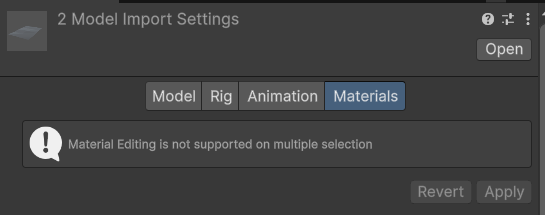
You cannot directly delete these materials from inside Unity. However, you can configure the model importer so Unity ignores them.
By default, Unity does not allow you to ignore multiple embedded materials at once. You would normally need to edit each model individually, which can be slow and repetitive.
***
### ⚡ Quick Removal with Better Delete
BetterLit provides a faster solution.
To remove embedded materials from multiple models at once:
1. Select all the models you want to modify
2. Right-click in the Project window
3. Go to **Better Delete**
4. Click **Remove Materials From Models**
This will automatically update the model importer settings and remove the embedded materials for all selected models.
This saves time and keeps your project cleaner and more organized.